How motions appear are a matter of tradition, and even within the same town each board may have a different tradition. To meet this reality, MuniMins offers a templating system that allows custom formatting for minutes export. After you create templates they will appear as a drop down next to the export options.
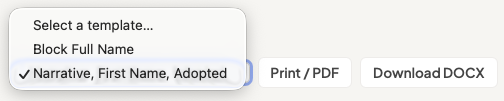
Just like there are no limits to the number of boards there are no limits to the number of templates.
Note that templates do not effect how the minutes are made, only how they are exported. This means that you can create or modify templates without regenerating minutes or losing edits.
Motion Style Options
MuniMins currently offers four styles for how motions appear, including how the motion sponsor and co-sponsor are noted.

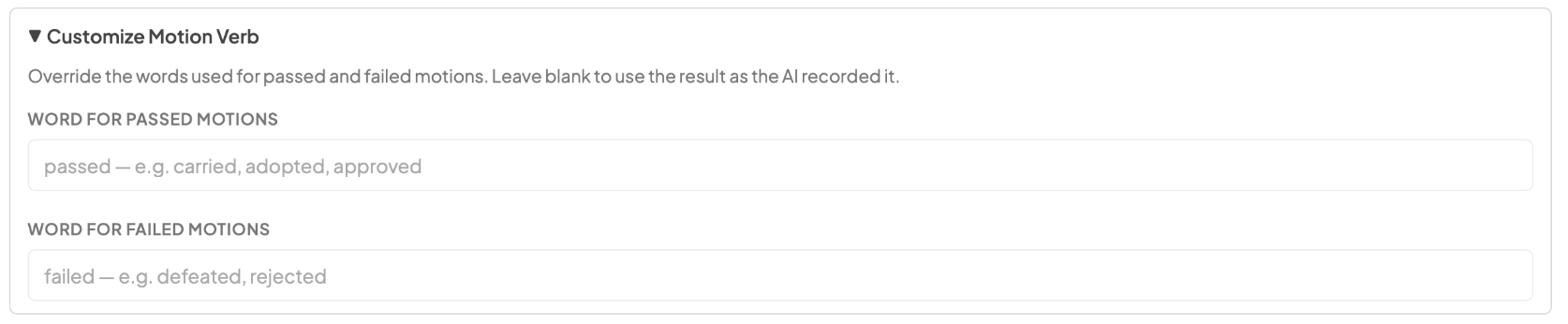
Customized Motion Verb
Approved, carried, adopted...whatever verb the board uses MuniMins can use, too.
Name Formatting
While board members full names appear in the attendance roll you can choose different options for how they are noted in motions: initials only, last name only, first initial+last name, or full name.
Header, Footer & Signature Lines
If the board requires specific language at the top of bottom of the minutes it can be added to the header and footer sections of the template. Additionaly, if your minutes have signature lines they can be added along with a name label.